Understanding Cloud Service Models: IaaS vs PaaS vs SaaS
Cloud Fundamentals Weekly — Issue #2
In this issue: Learn the three primary cloud service models, how they differ, who manages what, and how organizations choose the right model for their needs.
Introduction
One of the first questions organizations face when adopting cloud computing is not whether to use the cloud—it is how much of their technology infrastructure they want to manage themselves.
Some organizations want complete control over virtual machines and networking.
Others simply want a platform where developers can build applications without worrying about servers.
Many businesses only need finished software that employees can use immediately.
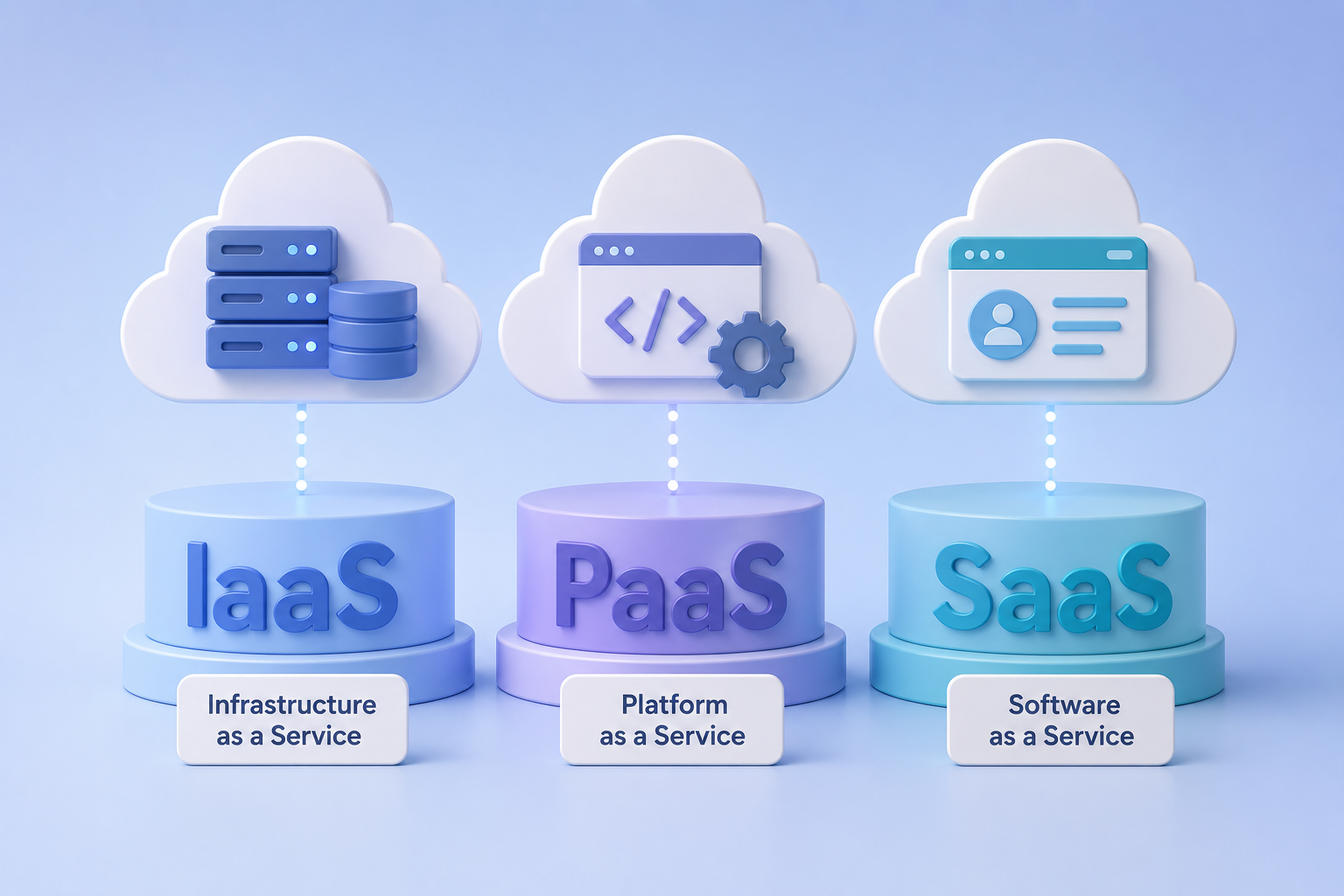
Cloud computing accommodates all of these needs through three primary service models:
- Infrastructure as a Service (IaaS)
- Platform as a Service (PaaS)
- Software as a Service (SaaS)
Rather than competing with one another, these service models represent different levels of responsibility. As you move from IaaS to SaaS, the cloud provider manages more of the technology stack, while the customer manages less.
Understanding these models is one of the most important foundations in cloud computing because nearly every cloud service fits into one of these categories.
Why Service Models Exist
Before cloud computing, organizations were responsible for nearly every aspect of their technology infrastructure.
They purchased physical servers, installed operating systems, configured networks, maintained storage systems, updated software, and secured their environments.
This required significant expertise, time, and financial investment.
Cloud providers recognized that not every organization wanted—or needed—to manage every layer of infrastructure.
Instead, they created different service models that divide responsibilities between the provider and the customer.
The result is greater flexibility, faster deployment, and the ability for organizations to choose the level of control that best fits their goals.
Infrastructure as a Service (IaaS)
Infrastructure as a Service (IaaS) provides the fundamental computing resources needed to build and operate applications.
These resources typically include:
- Virtual machines
- Storage
- Networking
- Firewalls
- Load balancers
- Virtual private networks
With IaaS, the cloud provider manages the physical infrastructure, including data centers, servers, networking hardware, power, and cooling.
The customer is responsible for managing:
- Operating systems
- Applications
- Data
- Security configurations
- User access
- Software updates
Because customers control much of the environment, IaaS offers the greatest flexibility among the three service models.
It is often chosen by organizations that require custom architectures, legacy applications, or specialized configurations.
Think of IaaS Like Renting an Empty Office
The building owner provides the building, electricity, plumbing, and maintenance.
You decide how to furnish the office, what equipment to install, and how your employees work inside it.
Platform as a Service (PaaS)
Platform as a Service (PaaS) builds on IaaS by providing a complete development platform.
Instead of managing servers and operating systems, developers receive an environment where they can focus on writing and deploying applications.
The cloud provider typically manages:
- Infrastructure
- Operating systems
- Runtime environments
- Middleware
- Scaling
- Security patches
- Platform maintenance
The customer focuses primarily on:
- Application code
- Business logic
- Application configuration
- Data
This significantly reduces operational complexity and allows development teams to deliver software more quickly.
PaaS is especially popular for modern web applications, APIs, internal business software, and rapid application development.
Think of PaaS Like Renting a Fully Equipped Kitchen
The kitchen already contains ovens, refrigerators, countertops, utilities, and equipment.
The chef only needs to bring ingredients and cook.
The restaurant owner does not worry about installing plumbing or electrical systems.
Software as a Service (SaaS)
Software as a Service (SaaS) provides complete applications that users access through a web browser or mobile application.
The cloud provider manages nearly everything, including:
- Infrastructure
- Operating systems
- Databases
- Application software
- Security updates
- Availability
- Maintenance
Customers simply use the application.
Most users never see the underlying infrastructure.
Examples of SaaS include:
- Email platforms
- Video conferencing software
- Customer relationship management systems
- Online collaboration tools
- Document editing applications
- Project management software
SaaS allows organizations to adopt sophisticated software without installing or maintaining complex systems.
Think of SaaS Like Staying at a Hotel
The hotel provides the building, furniture, utilities, maintenance, housekeeping, and security.
Guests simply arrive and use the room.
Everything behind the scenes is managed by the provider.
Comparing the Three Models
As cloud providers manage more technology, customers manage less.
Service Model Customer Manages Provider Manages IaaS Operating systems, applications, data, security configuration Physical infrastructure, virtualization, networking hardware PaaS Applications and data Infrastructure, operating systems, runtime, platform services SaaS User settings and business data Nearly everything elseA simple way to remember this progression is:
IaaS → Maximum Control
PaaS → Maximum Productivity
SaaS → Maximum Convenience
Choosing the Right Model
No service model is universally better than another.
The appropriate choice depends on an organization's goals.
Choose IaaS when:
- Maximum infrastructure control is required.
- Legacy applications must be migrated.
- Custom networking is necessary.
- Specialized software must be installed.
Choose PaaS when:
- Developers want to build applications quickly.
- Infrastructure management should be minimized.
- Teams want automatic scaling.
- Faster software delivery is a priority.
Choose SaaS when:
- Organizations need ready-to-use software.
- Infrastructure management should be eliminated.
- Employees simply need access to business applications.
- Speed of deployment is most important.
Can Organizations Use More Than One?
Absolutely.
Most organizations use all three service models simultaneously.
For example, a business might:
- Host internal applications using IaaS.
- Build new customer portals using PaaS.
- Use cloud-based email and collaboration software through SaaS.
This combination allows organizations to balance flexibility, efficiency, and cost across different workloads.
Common Misconceptions
"PaaS replaces developers."
No.
PaaS removes infrastructure management so developers can spend more time building applications.
"SaaS is only for small businesses."
Large enterprises rely heavily on SaaS for communication, collaboration, finance, customer support, and countless other business functions.
"IaaS is always the best choice because it provides more control."
More control also means more responsibility.
Organizations should choose the model that best aligns with their technical requirements rather than assuming more control is always better.
Why This Matters
Understanding cloud service models helps explain how nearly every cloud product is delivered.
Whether an organization is deploying a custom application, launching an artificial intelligence platform, storing data, or simply using online productivity software, it is interacting with one or more of these service models.
Cloud architects, developers, cybersecurity professionals, IT administrators, and business leaders all benefit from understanding where responsibilities begin and end.
This knowledge becomes even more important when designing secure, reliable, and scalable cloud environments.
Key Takeaways
- Cloud service models define how responsibilities are shared between customers and cloud providers.
- IaaS provides the greatest infrastructure control.
- PaaS provides a managed platform for application development.
- SaaS delivers complete software applications ready for use.
- Most organizations use a combination of all three models.
- Choosing the right model depends on business requirements, technical expertise, and operational goals.
Looking Ahead
Now that you understand how cloud services are delivered, the next step is understanding where those services run.
In the next issue, we'll explore:
Cloud Deployment Models Explained: Public, Private, Hybrid, and Multi-Cloud
You'll learn how organizations choose different cloud deployment strategies, why no single approach works for every business, and how modern enterprises often combine multiple cloud environments into a unified architecture.